Codex CLIで(を)ソースコードリーディング!
Codex CLIで(を)ソースコードリーディング!
あの機能はどうできている?
- Event:
Codex Meetup Tokyo #1
- Presented:
2026/03/19 nikkie
Codex CLIはソースが 公開 されている🤗
https://github.com/openai/codex
Rust製
例えば Codex App
codex app-server
JSON-RPCによるプロトコル(Codex App Server) [1]
Codex CLIのソースをCodex {CLI,App}に解説してもらう日々
その中から 小さな機能2つ と、どう実装されているかを共有します
1️⃣シンタックスハイライト
Codex CLIについて [2]
https://developers.openai.com/codex/cli/features#syntax-highlighting-and-themes
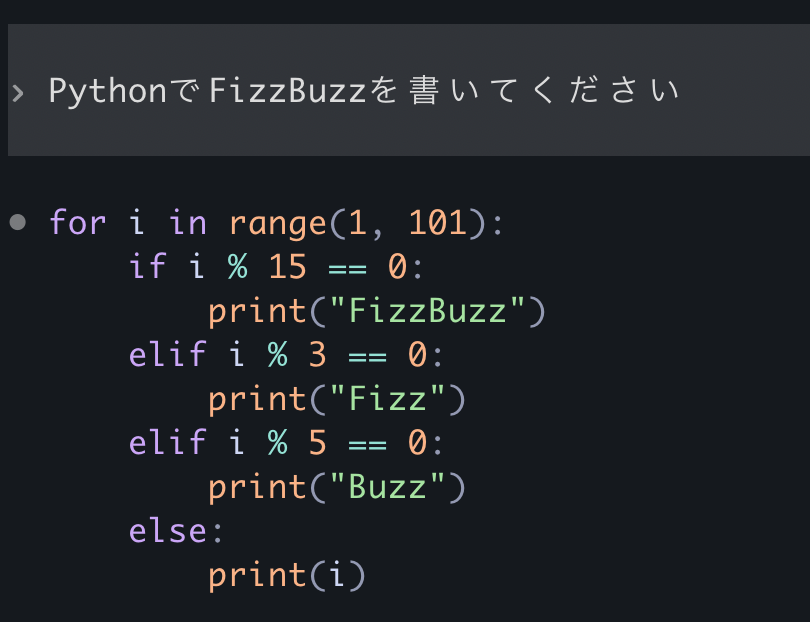
(GPT-5.4 medium effort)
v0.105.0 にてシンタックスハイライト追加
The TUI now syntax-highlights fenced code blocks and diffs, adds a /theme picker with live preview, and uses better theme-aware diff colors for light and dark terminals.
コードブロックや実行するコマンドが 劇的に読みやすく
では、どう実装されている?
feat(tui): syntax highlighting via syntect with theme picker #11447
catcloneの bat でも使われている
syntectを使った実装例 [4]
let syn_set = two_face::syntax::extra_newlines();
let theme_set = two_face::theme::extra();

let syn_ref = syn_set.find_syntax_by_extension("py").unwrap();
let theme = &theme_set[two_face::theme::EmbeddedThemeName::CatppuccinMocha];
let mut highlighter = syntect::easy::HighlightLines::new(syn_ref, theme);
let lines = content.lines();
let mut output = String::new();

for line in lines {
    let ranges = highlighter.highlight_line(line, &syn_set).unwrap();
    let escaped = syntect::util::as_24_bit_terminal_escaped(&ranges[..], false);
    output.push_str(&escaped);
    output.push('\n');
}

print!("{}", output);テーマは two-face [5]

カスタムテーマ
<?xml version="1.0" encoding="UTF-8"?>
<!DOCTYPE plist PUBLIC "-//Apple//DTD PLIST 1.0//EN" "http://www.apple.com/DTDs/PropertyList-1.0.dtd">
<plist version="1.0">
<dict>
    <key>name</key>
    <string>Sunset Aurora</string>
    <key>settings</key>
    <array>
    <!-- Global -->
    <dict>
        <key>settings</key>
        <dict>
        <key>foreground</key><string>#fff03c</string>
        <key>background</key><string>#274079</string>
        <key>caret</key><string>#f19557</string>
        <key>selection</key><string>#7f6575</string>
        <key>lineHighlight</key><string>#6bb6b0</string>
        </dict>
    </dict>

    <!-- Comments -->
    <dict>
        <key>name</key><string>Comment</string>
        <key>scope</key><string>comment</string>
        <key>settings</key>
        <dict>
        <key>foreground</key><string>#c7b83c</string>
        <key>fontStyle</key><string>italic</string>
        </dict>
    </dict>

    <!-- Keywords -->
    <dict>
        <key>name</key><string>Keyword</string>
        <key>scope</key><string>keyword, storage.type</string>
        <key>settings</key>
        <dict>
        <key>foreground</key><string>#f19557</string>
        <key>fontStyle</key><string>bold</string>
        </dict>
    </dict>

    <!-- Strings -->
    <dict>
        <key>name</key><string>String</string>
        <key>scope</key><string>string</string>
        <key>settings</key>
        <dict>
        <key>foreground</key><string>#6bb6b0</string>
        </dict>
    </dict>

    <!-- Functions / Types -->
    <dict>
        <key>name</key><string>Function and Type Names</string>
        <key>scope</key><string>entity.name.function, entity.name.type</string>
        <key>settings</key>
        <dict>
        <key>foreground</key><string>#fff03c</string>
        </dict>
    </dict>

    <!-- Constants / Numbers -->
    <dict>
        <key>name</key><string>Constants</string>
        <key>scope</key><string>constant, constant.numeric</string>
        <key>settings</key>
        <dict>
        <key>foreground</key><string>#c7b83c</string>
        </dict>
    </dict>

    <!-- Invalid / Error -->
    <dict>
        <key>name</key><string>Invalid</string>
        <key>scope</key><string>invalid</string>
        <key>settings</key>
        <dict>
        <key>foreground</key><string>#274079</string>
        <key>background</key><string>#f19557</string>
        </dict>
    </dict>
    </array>
</dict>
</plist>
/theme でカスタムテーマ選択

2️⃣音声入力
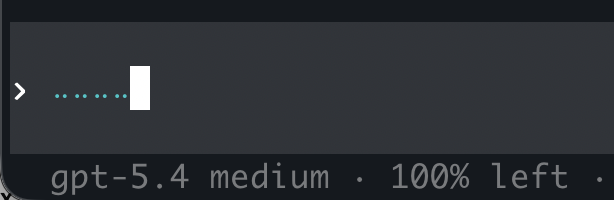
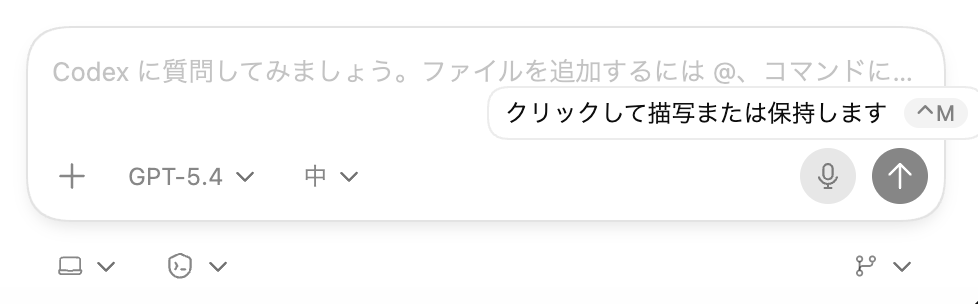
Codex CLI(とCodex App)について
半角スペース を長押し(Codex CLI)
Ctrl+M (Codex App, macOS)
codex features list
voice_transcription under development false% codex --version
codex-cli 0.115.0Codex CLIの設定を変える [6]
~/.codex/config.toml を手で変更[features]
voice_transcription = true~/.codex/config.toml を変更codex features enable voice_transcription起動時に一時的に
codex --enable voice_transcription
codex -c features.voice_transcription=true
では、どう実装されている? (Codex CLI)
APIキー認証の場合 gpt-4o-mini-transcribe [7]
ChatGPTアカウント認証の場合、/backend-api/transcribe へ
promptパラメタでひと工夫
https://developers.openai.com/api/docs/guides/speech-to-text#prompting
前方にある テキスト(ユーザ入力)も音声と合わせて gpt-4o-mini-transcribeへ送る
メンテしている音声認識ライブラリでパクる [8]
class SpacebarLiveTranscriber:
    def __init__(self) -> None:
        self._worker_thread = threading.Thread(target=self._transcription_worker, daemon=True)
        self._worker_thread.start()

    def _transcription_worker(self) -> None:
        while True:
            audio = sr.AudioData(frame_data, sample_rate, sample_width)
return self.recognizer.recognize_openai(audio, model="gpt-4o-mini-transcribe").strip()まとめ🌯:あの機能はどうできている?
シンタックスハイライト:syntect(bat同様)、テーマはtwo-face
音声入力:gpt-4o-mini-transcribe、promptパラメタの工夫
Codex CLIやCodex Appで気になる ソースコードを読む のは、いいぞ
ご清聴ありがとうございました(最後に、お前、誰よ)
nikkie(にっきー)・Python歴8年
機械学習エンジニア。 Speeda AI Agent 開発。 A2A提供開始 (We're hiring!)
