deep researchの ブラックボックスを OTelで覗く
- Event:
福岡Rubyist会議05
- Presented:
2026/02/28 nikkie(サンプルコード)
お前、誰よ(Python使いの自己紹介)
東京在住。機械学習エンジニア
Speeda AI Agent 開発(deep research 機能含む) [1]

もう少し自己紹介
コマンドラインから llm-deep-research [2]
Python Meetup Fukuoka が熱くて🔥たびたび参加(次回3/4)
今回の発表を機に、Rubyは5年以上ぶり(PythonをLLMで変換)
この一年、何をしていましたか?
テーマ:"最近、何してる?"
deep research💫 [3]
2025/02/02 OpenAI Introducing deep research
皆さん使ってますか?🙋
OpenAI deep research
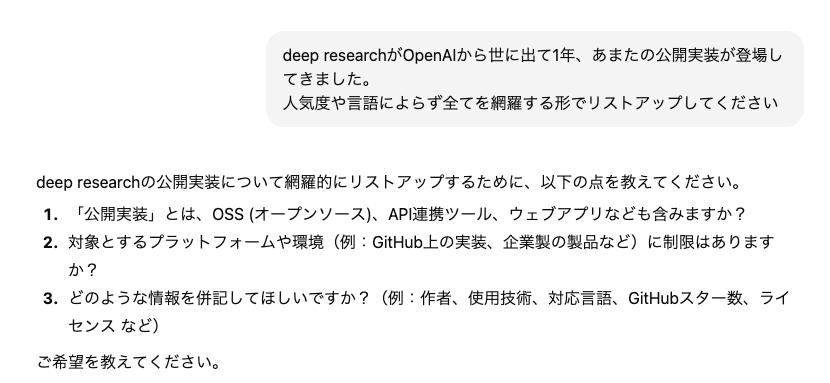
人間が調査を依頼
LLMから追加で質問 [5]
人間から回答
LLMがWebを調査 (10分程度)
詳細なレポート
私の 代わりにWebを調査 してきてくれる!
調査計画
Web検索 [6]
Webブラウジング
LLMに 道具を渡して 再現させよう!
OpenAIは 専用モデル で実現 [7]
GPTのような規模のモデルは開発できずとも
LLMは道具が使える(tool use = function calling)
LLMにプロンプトとtool一覧を送る
LLM「このtoolをこれこれの引数で呼び出したい」(JSON) [8]
アプリケーションでtoolを呼び出し、結果をLLMに返す
LLMがtoolの結果を元に(必要であればさらにtool呼び出し)回答
Open-source DeepResearch
OpenAIの発表を受けて、Hugging Faceが24時間再現チャレンジ
https://github.com/huggingface/smolagents/tree/main/examples/open_deep_research
This agent achieves 55% pass@1 on the GAIA [9] validation set, compared to 67% for the original Deep Research.
Hugging Face製deep researchの工夫
テキストブラウザ(an extremely simple text-based web browser)
CodeAct [10] :計画をコード(Python)で表現
例えば、フレームワークにはだいたい公開実装あり
Agent Development Kit (Google)
Strands Agents (AWS)
Agent Framework (Microsoft)
私は工夫を知りたい
自作の参考にするために公開実装を動かす
作者ではないので、内部の動きが手に取るようにはわからない(ブラックボックス)
LLMへの入力を全部分かりたい(束縛系)
LLMアプリケーション開発における私の信念
deep researchを依頼された LLMのように考える [11]
改善案を出しやすい(LLMより前は数学の理解が必要だった)
OpenTelemetry (OTel) に目をつけた!
テレメトリ(トレース・メトリクス・ログ)から 可観測性 を得る手段
システムの出力から内部状態を理解する
ベンダーやツールのロックインなし
コンテキスト伝播🏃♂️ [12]
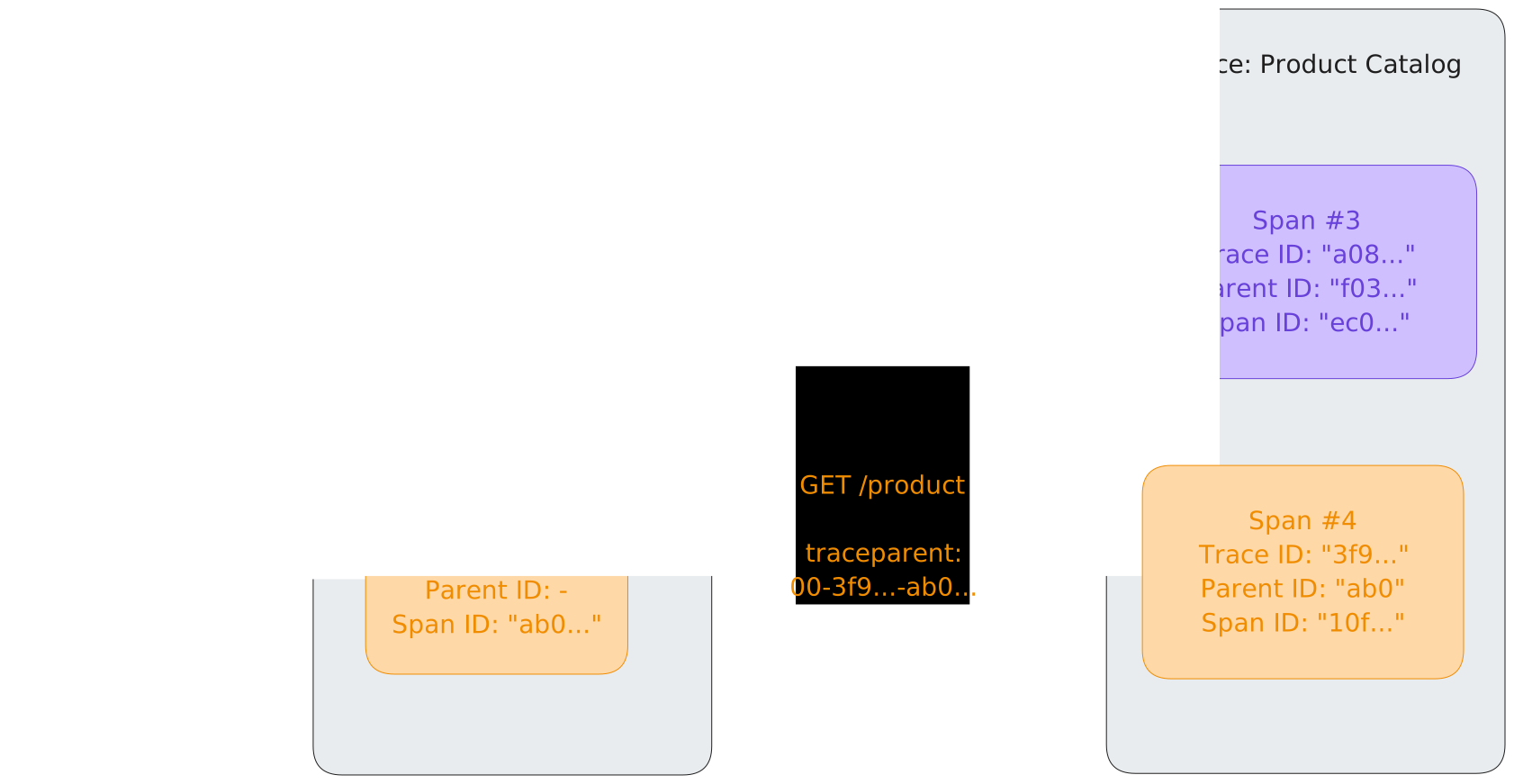
トレース例🏃♂️
{
    "name": "GET /",
    "context": {
        "trace_id": "0x9591b67e3eb9f91ecadc84aec50e79f0",
        "span_id": "0x9bf997b809109fa3",
        "trace_state": "[]"
    },
    "kind": "SpanKind.SERVER",
    "parent_id": "0x119f828276ebd665",
    "start_time": "2026-02-27T10:57:22.142571Z",
    "end_time": "2026-02-27T10:57:22.143700Z",
    "status": {
        "status_code": "UNSET"
    },
    "attributes": {
        "http.scheme": "http",
        "http.host": "127.0.0.1:8000",
        "net.host.port": 8000,
        "http.flavor": "1.1",
        "http.target": "/",
        "http.url": "http://127.0.0.1:8000/",
        "http.method": "GET",
        "http.server_name": "localhost:8000",
        "http.user_agent": "Faraday v2.14.1",
        "net.peer.ip": "127.0.0.1",
        "net.peer.port": 62375,
        "http.route": "/",
        "http.status_code": 200
    },
    "events": [],
    "links": [],
    "resource": {
        "attributes": {
            "telemetry.sdk.language": "python",
            "telemetry.sdk.name": "opentelemetry",
            "telemetry.sdk.version": "1.35.0",
            "service.name": "unknown_service"
        },
        "schema_url": ""
    }
}
フィールド名:Semantic conventions🏃♂️
LLMアプリケーション向けのセマンティック規約策定が 現在進行系 🔥
例えば Gemini
Pythonでは google-genai SDK
無料。ただし、入力データはGoogleのモデルの訓練に使われる [13]
悩まされていたブラックボックス📦
from deep_research_lib import ResearchAgent  # Geminiを使ったdeep research

result = ResearchAgent().run(query)
google-genaiを計装(簡略版)🈳 [14]
from deep_research_lib import ResearchAgent
from opentelemetry.instrumentation.google_genai import GoogleGenAiSdkInstrumentor

GoogleGenAiSdkInstrumentor().instrument()
result = ResearchAgent().run(query)回答:この一年、何をしていましたか?
deep researchの実装を見つける
OpenTelemetryを有効にして動かす (鑑賞)
気になる箇所のソースを読み理解深める(自分の実装に活かす)
これを Ruby でやることを考えます
https://github.com/ftnext/2026-slides/tree/main/samplecode/deep-research-otel
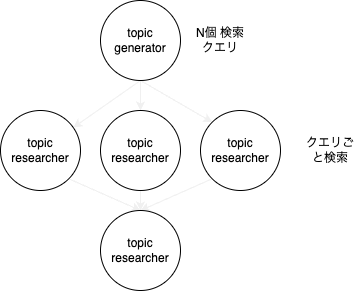
今回のdeep research [15]
topic_generator
topic_researcher
research_synthesizer
Gemini APIのリクエストにFaraday
conn = Faraday.new(
  url: "https://generativelanguage.googleapis.com"
)
response = conn.post(
  "/v1beta/models/gemini-3-flash-preview:generateContent"
) do |req|
  req.headers["Content-type"] = "application/json"
  req.headers["x-goog-api-key"] = api_key
  req.body = {
    contents: [
      {
        parts: [
          { text: "What's a good name for a flower shop that specializes in selling bouquets of dried flowers?" }
        ]
      }
    ]
  }.to_json
end
opentelemetry-instrumentation-faraday
ENV["OTEL_TRACES_EXPORTER"] = "console"
OpenTelemetry::SDK.configure do |c|
  c.use 'OpenTelemetry::Instrumentation::Faraday'
end
限界:Gemini APIへのリクエストが不明
ENV["OTEL_TRACES_EXPORTER"] = "console"
OpenTelemetry::SDK.configure do |c|
  c.use 'OpenTelemetry::Instrumentation::Faraday'
end

agent = ResearchAgent.new(api_key: api_key, config: config)
result = agent.run(USER_QUERY)
Workaround: faradayのMiddleware(イメージ)
class OtelBodyCaptureMiddleware < Faraday::Middleware
  def call(env)
    # 詳しくは次スライド
    # span.set_attribute("http.request.body", body_str)
  end
end

agent = ResearchAgent.new(api_key: api_key, config: config) do |conn|
  conn.builder.insert_after(
    OpenTelemetry::Instrumentation::Faraday::Middlewares::Old::TracerMiddleware,
    OtelBodyCaptureMiddleware
  )
end
class OtelBodyCaptureMiddleware < Faraday::Middleware
def call(env)
span = OpenTelemetry::Trace.current_span
if span&.recording?
body = env.body
body_str = body.is_a?(String) ? body : JSON.generate(body)
span.set_attribute("http.request.body", body_str)
end
response = @app.call(env)
if span&.recording?
span.set_attribute("http.response.body", response.body.to_s)
end
response
end
endgoogle-genaiを計装するのと同じ体験をしたい!
from deep_research_lib import ResearchAgent
from opentelemetry.instrumentation.google_genai import GoogleGenAiSdkInstrumentor

GoogleGenAiSdkInstrumentor().instrument()
result = ResearchAgent().run(query)
スコープを絞って自作
require_relative './deep_research_lib'
require_relative './instrumentor'

MyGoogleGenai::Instrumentation::Instrumentor.new.instrument
result = ResearchAgent.new(api_key: api_key, config: config).run(USER_QUERY)
https://github.com/ftnext/2026-slides/tree/main/samplecode/deep-research-otel/ruby-v2
LLMへの入力、全部分かる!🙌
events=
 [#<struct OpenTelemetry::SDK::Trace::Event
   name="gen_ai.user.message",
   attributes=
    {"content" =>
      "You are an expert at generating topics for research, based on the user's content.\n" +
      "\n" +
      "Your first task is to devise a number of concrete research areas needed to address the user's content.\n" +
      "\n" +
最後に:deep researchを作ってみたくなった方へ
自作以外に:Googleは interactions API としてdeep researchを提供しています
自作する場合:コーディングエージェントのハーネスを使う(Claude Agent SDK など) [16]
ご清聴ありがとうございました
deep research のブラックボックスを OTel で覗く
Appendix
なぜGemini?
anthropic-sdk-ruby と opentelemetry-instrumentation-anthropic を知った
Pythonのgoogle-genaiとその計装ライブラリとの関係とはどうやら違うよう [17]
無料で使えるGemini(入力は学習利用される点には注意)
検索ツールの呼び出し
GeminiにGoogle検索させる箇所
クライアントサイドでなく サーバサイド
Geminiがサーバサイドで検索して、その結果を元に返答しています